
Download Personal Video Database – Film & TV Collection Organizer
Overview
Personal Video Database is a specialized mobile application designed to help users systematically catalog and manage their personal film and television collections. The app serves as a digital archive for video content, enabling users to organize titles with detailed metadata such as cast and crew information, release dates, ratings, and synopses. Its primary purpose is to transform a scattered library of movies and series into a structured, searchable, and visually engaging database. This makes it especially valuable for enthusiasts, collectors, and home media users who value precision and personalization in their entertainment libraries.
The app targets individuals who maintain large personal video collections and seek a reliable tool to track ownership, viewing status, and preferences. Whether it’s a growing DVD library, a digital media collection, or a mix of both, Personal Video Database offers a consistent framework for organization. It empowers users to maintain a comprehensive record of their media, enhancing the overall viewing experience by enabling quick access to information and efficient sorting.
Developed by Personal Video Database, the app has been available since November 6, 2013, indicating a long-standing presence in the personal media management space. Although the developer did not provide additional technical or company background, the app’s longevity suggests a stable and dedicated user base. Its role in the mobile app ecosystem lies in filling a niche for media cataloging tools, offering a dedicated solution where general-purpose apps may fall short.
Key Features & Functionality
Personal Video Database delivers a robust set of tools tailored for media enthusiasts seeking detailed organization. The app’s functionality centers on structured data input and flexible presentation, allowing users to build a richly detailed digital library.
- Customizable Templates: Users can select from a range of display templates to personalize how their video data appears. This feature supports individual aesthetic preferences, enabling users to choose layouts that reflect their style, from minimalist to feature-rich designs.
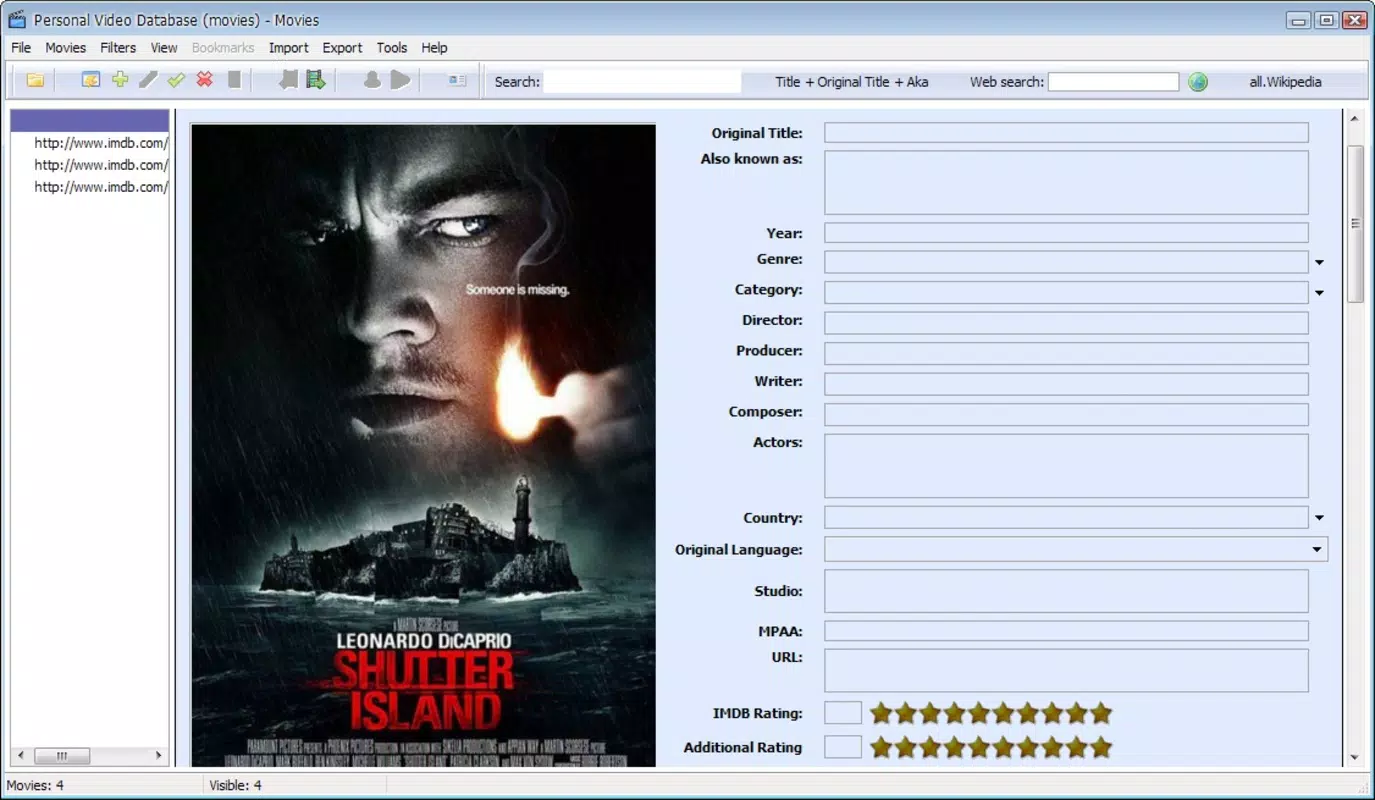
- Detailed Information Input: The app allows the entry of extensive metadata for each video, including synopsis, cast and crew details, director names, and IMDB ratings. This ensures every title is documented with precision, making it easier to recall information at a glance.
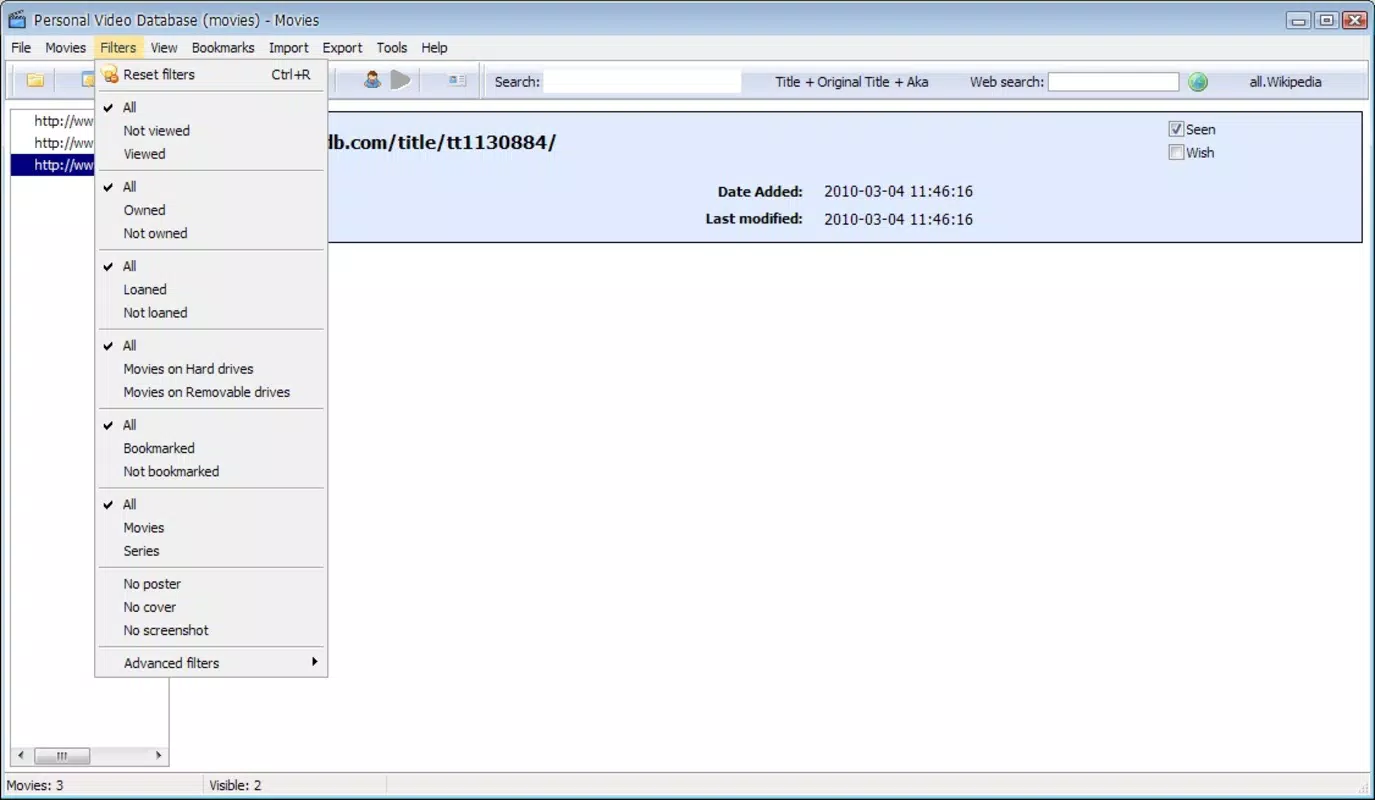
- Efficient Sorting Options: Titles can be sorted by multiple criteria such as release date, rating, genre, or viewing status. This functionality streamlines navigation, helping users quickly locate specific content without manual searching.
- Visual Enhancements: The app includes various visualization tools, such as dynamic viewing layouts and graphical elements, which enhance the browsing experience. These features make navigating the collection more engaging and enjoyable.
- User-Centric Design Philosophy: While the interface is vibrant and feature-rich, it is designed to accommodate both casual users and power users. The depth of customization supports long-term engagement, allowing users to evolve their database as their collection grows.
For example, a user with a growing collection of classic films can use the detailed input feature to document original release years, directors, and cast members. They can then sort by decade or genre for themed movie nights. Similarly, a TV series collector can track episode-by-episode progress and assign personal ratings to each season.
Interface, UX & Performance
Personal Video Database features a vibrant and visually rich interface, emphasizing aesthetic appeal and interactive engagement. The design incorporates colorful elements, dynamic layouts, and graphical enhancements that contribute to a lively browsing experience. While this visual style may attract users who value presentation, it could initially overwhelm those accustomed to minimalist or utilitarian interfaces.
Navigating the app appears to follow a logical flow, with core functions such as adding entries, viewing collections, and sorting content accessible through intuitive menus. The user interface supports touch-based interactions, making it suitable for smartphones and tablets. However, the developer did not specify formal performance metrics, so real-world responsiveness across device types remains unverified.
Although the developer did not list formal performance metrics, the app’s long-standing presence suggests a degree of stability. Users can expect consistent behavior under normal usage conditions, though performance may vary depending on device capabilities. The app’s visual complexity may impact performance on older or lower-end devices, though no specific requirements were provided.
Responsiveness is assumed to be adequate for standard navigation tasks, but users should be prepared for a learning curve due to the app’s feature density. The overall user experience is enhanced by customization options, but new users may benefit from a guided onboarding process or tutorial, which was not mentioned in the available data.
Platform Compatibility & Technical Requirements
Personal Video Database is available on Android, supporting the latest versions of the operating system. The app’s file size is 22.4 MB, which is relatively lightweight for a media management tool. This size suggests efficient code usage and minimal bloat, making it suitable for devices with moderate storage capacity.
The developer did not specify minimum OS requirements or compatibility details beyond the platform. As such, users should ensure their device meets general Android standards for app installation. Compatibility with iOS was not disclosed, limiting availability to Android users only.
Version information was not provided, so users are advised to check their device’s app store for the latest release. Updates may include bug fixes, performance improvements, or new features, though no release notes were shared. The app’s size and platform focus indicate it is optimized for mobile use, though no information was given about tablet support or multi-window functionality.
Pros and Cons
- Comprehensive media metadata input for detailed cataloging
- Customizable templates for personalized visual layouts
- Multiple sorting options for efficient navigation
- Visual enhancements that improve browsing experience
- Long-standing presence in the media management niche
- Visually dense interface may overwhelm new users
- No information on iOS compatibility
- Developer did not disclose OS version requirements
- Limited documentation or onboarding guidance
- Unknown update frequency or support timeline
FAQ
Is Personal Video Database available on iOS?
The developer did not disclose iOS compatibility. The app is confirmed for Android, but availability on other platforms remains unverified.
Can I import existing video collections into the app?
While the app supports detailed manual entry of video data, the developer did not specify whether bulk import or file-based import (e.g., from CSV or JSON) is supported.
Is the app free to download and use?
The app’s pricing information was not provided. Users should check the Android app store for current pricing and availability.
How often is the app updated?
Update frequency was not disclosed by the developer. Users are advised to monitor the app store for new releases.
Does Personal Video Database require internet access?
The developer did not specify whether internet access is required. The app may function offline for core cataloging tasks, but certain features like IMDB integration could require connectivity.
Final Thoughts
Personal Video Database stands out as a dedicated tool for users who take pride in organizing their film and television collections. Its combination of detailed data input, customizable presentation, and efficient sorting makes it a powerful utility for media enthusiasts. While the vibrant interface may present a learning curve, the long-term benefits of a well-structured, personalized database are significant.
For collectors, home theater users, and fans of classic cinema or TV series, the app offers a reliable and engaging way to manage media. Its lightweight design and focus on Android make it accessible to a broad audience, though the lack of iOS support limits its reach.
Despite some unanswered questions around updates, compatibility, and onboarding, the app’s enduring presence speaks to its value. If you’re looking for a secure, customizable, and productive tool to track your video library, Personal Video Database delivers a compelling solution.
Download Personal Video Database now


